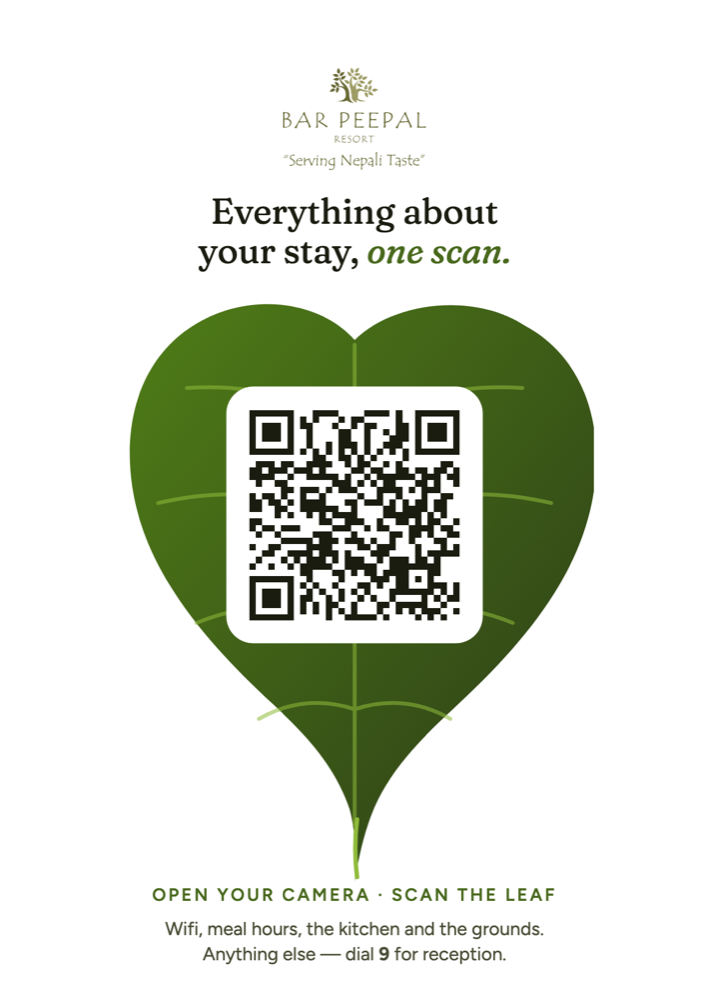
Concept A · The leaf
The resort is named after the bar and peepal trees, so we put the QR code inside a peepal leaf. One line says what you get. One line says how to scan. At the bottom is a backup: for anything else, dial 9 for reception.
Case study · Bar Peepal Resort, Pokhara
Every room has a small printed stand (a standee) with a QR code. A guest scans it and a guest directory opens on their own phone: wifi, meal times, every facility and who to call, in six languages. We designed the standee and built the website behind it. It is also part of the resort's work to use less paper.
What is the wifi password? When does breakfast end? Is the pool open? What number do I call for reception? A resort answers these questions all day, mostly by phone, and often in a language the guest does not speak well.
Hotels usually keep the answers in a printed folder in each room. That folder is in one language, and it is wrong as soon as the hours change. Fixing it means printing it again. Bar Peepal wanted something a guest could open in seconds, that staff could update themselves, and that used far less paper. No app and no login.
01 · The print concepts
We do not show a client just one design. We made two finished standee designs for Bar Peepal and asked them to choose. A QR code alone tells a guest nothing. Both designs say what the guest will get, how to scan, and what to do if the scan does not work.
The resort is named after the bar and peepal trees, so we put the QR code inside a peepal leaf. One line says what you get. One line says how to scan. At the bottom is a backup: for anything else, dial 9 for reception.
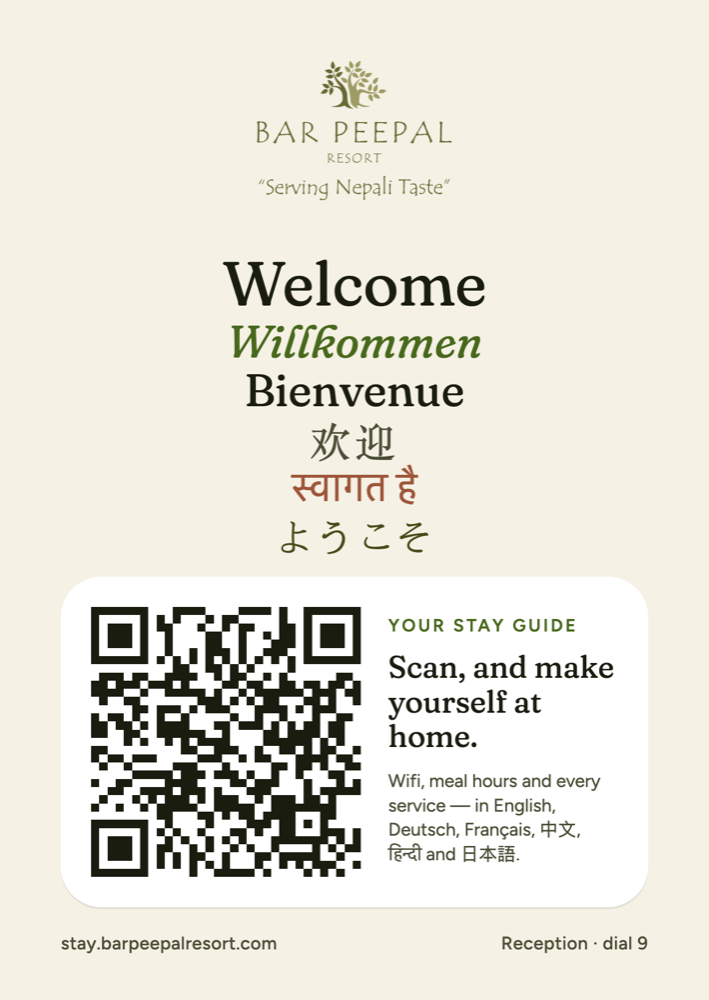
It says welcome in six languages, each in its own script, so guests see their own language before they scan. The full web address is printed too, for phones that cannot read the code, next to the reception number.
02 · The first scan
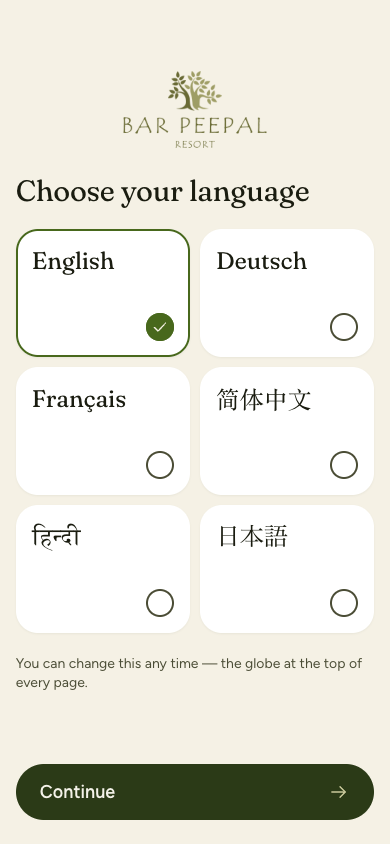
The first screen asks one question: which language? All six are shown at once, each written in its own script. Nobody has to read English to find Japanese.
03 · The home screen
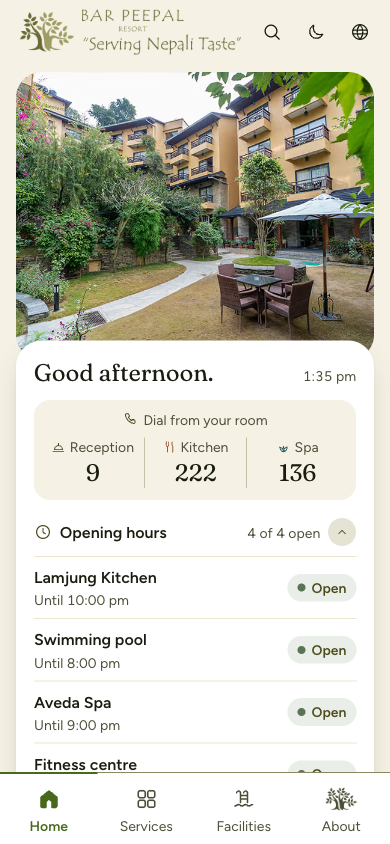
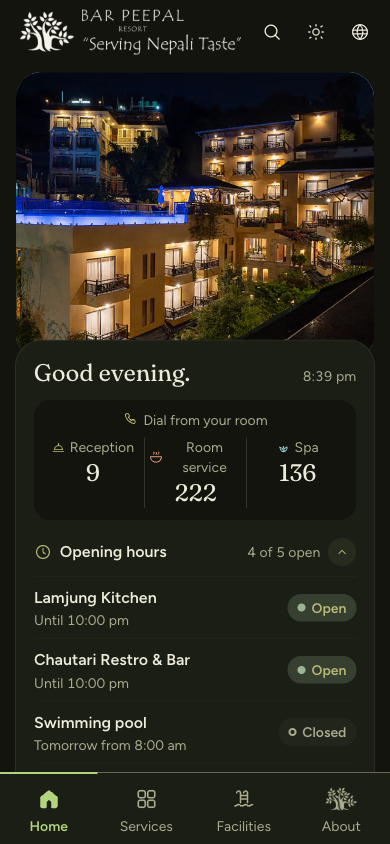
Most guests open the directory with one question in mind. The home screen answers the common ones before they scroll.
04 · Inside the directory
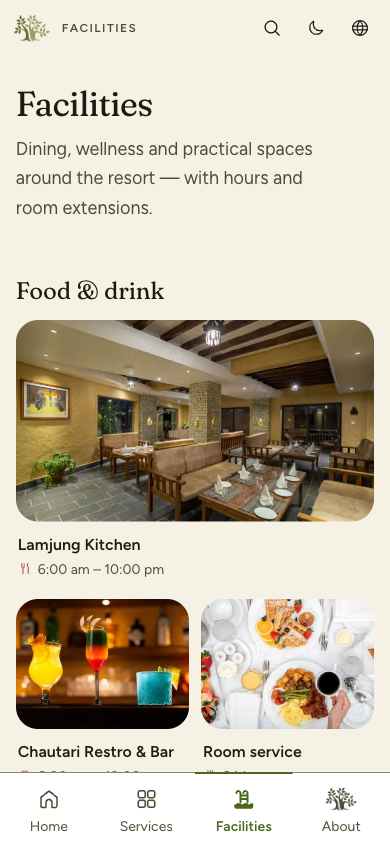
Eleven places, from the kitchen and bar to the spa, the hall and the travel desk, sorted into groups that make sense to a guest.
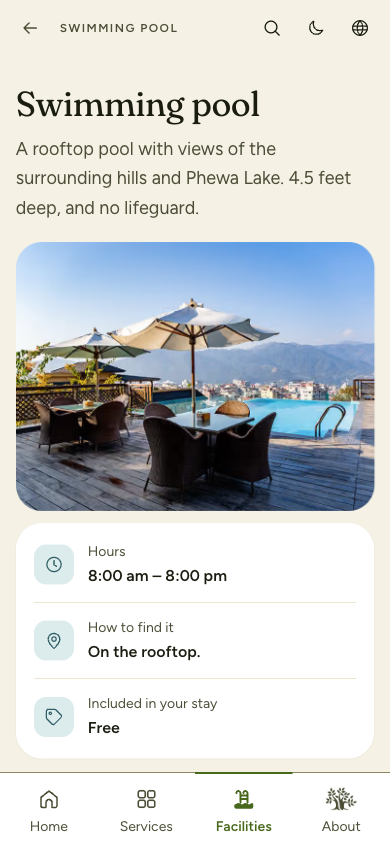
Every place answers the same three questions first: when is it open, how do I find it, and is it included in my stay?
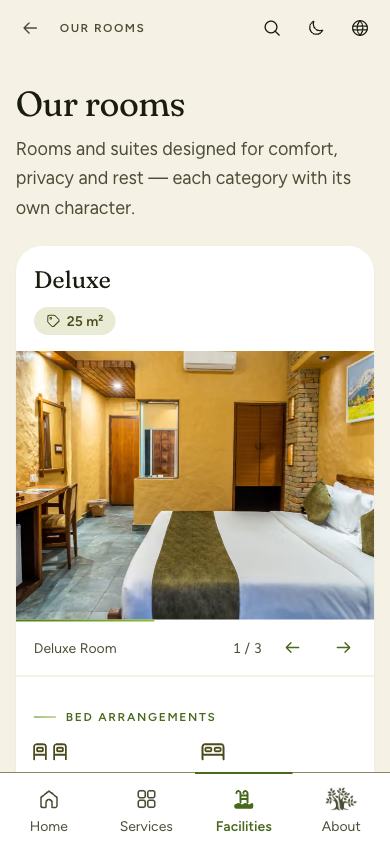
Each room type with its size, photos, beds and what is in the room.
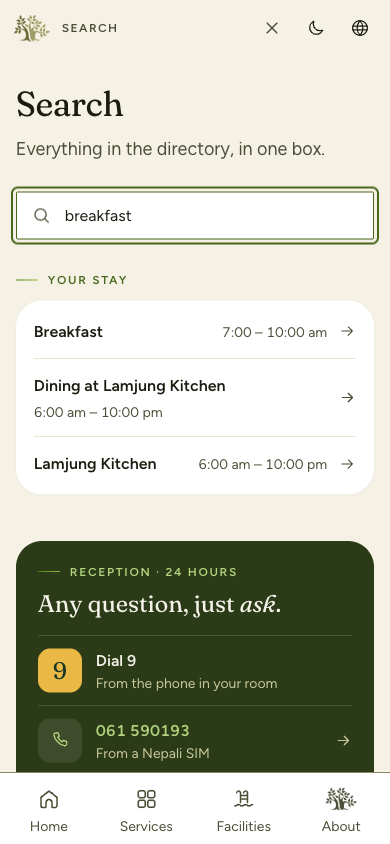
One search box for the whole directory. Results show the hours right there, so guests often get the answer without opening a page.
More than thirty topics sorted into arrival, room, dining, services, transport, rules and safety. The most asked ones are at the top: wifi, housekeeping, breakfast, laundry, wake-up call.
Every page ends the same way: dial 9 from the room phone, or tap to call from a Nepali or international SIM. If the directory does not have the answer, a person will.
A dark theme for reading in bed with the lights off, one tap away at the top. Guests can also add the directory to their home screen like an app.
05 · Six languages
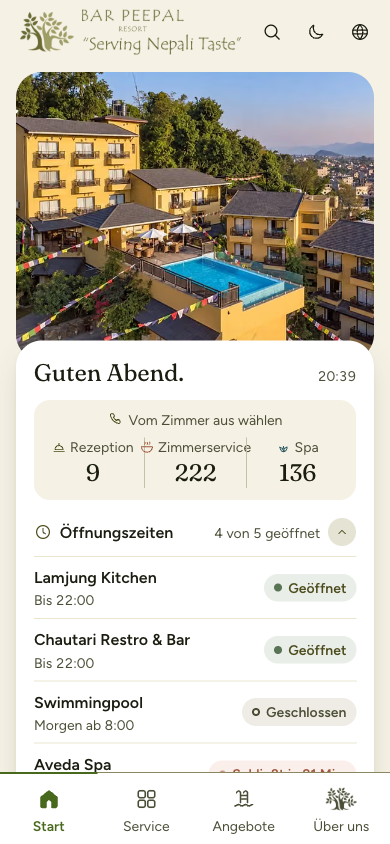
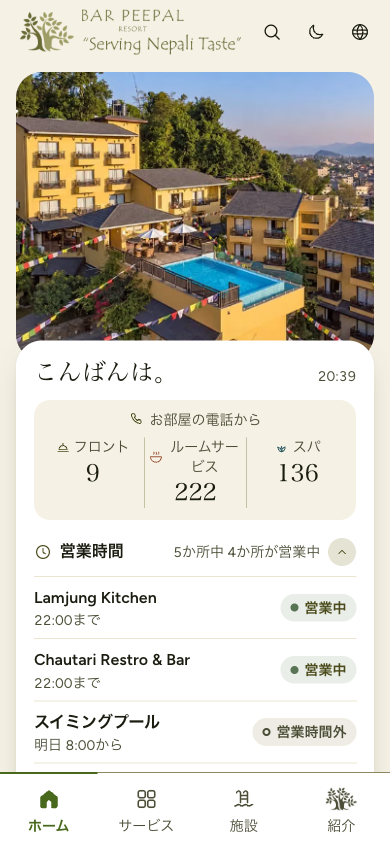
This is not a translate button on top of English text. Every label, status, greeting and menu is written in the guest's language, even small words like “geöffnet” and “営業中” on the opening hours.
06 · Keeping it current
Hours, photos, room details, staff and house rules are kept in a content system that the resort's own team logs in to. When breakfast moves by half an hour, someone at the hotel changes one field. Every language and every “open now” label updates with it.
The printed standee never changes. The QR code always points to the same address, so when the content changes there is nothing to print again.
07 · Less paper
Bar Peepal is working to run the resort in a more sustainable way. The guest directory is one part of that work. It cuts paper in two ways.
The live directory
This is the same directory guests open in their rooms. It is made for phones, so it looks best on one.
We bring you standee designs to choose from, build the directory, translate it and show your team how to update it. Tell us about your property.
[email protected]Sarangkot, Pokhara, Nepal